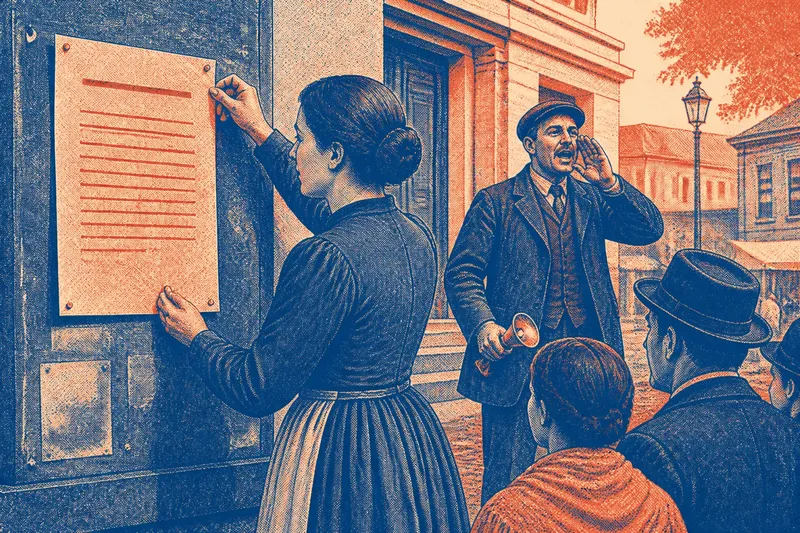
The Noticeboard Myth: More Paper Does Not Mean More Clarity
Noticeboard clutter can hide the message people need. Sort notices by purpose, remove stale sheets, and make room for current information readers can find.
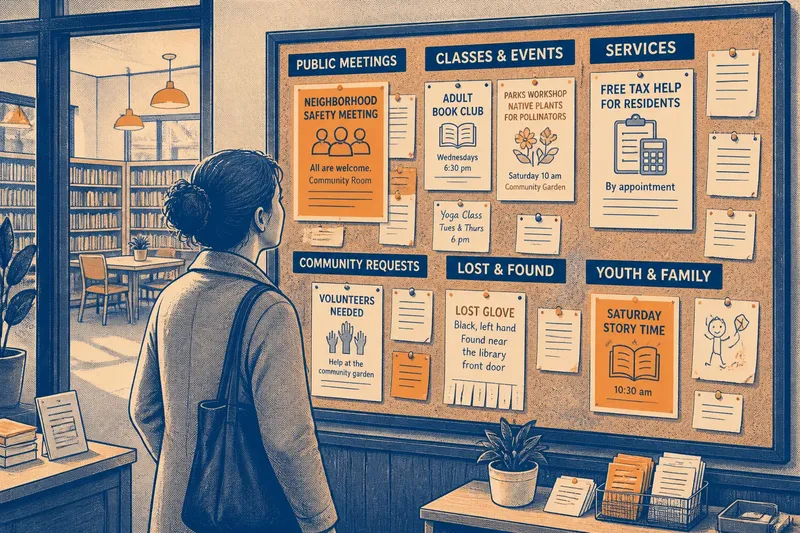
A resident steps into the library looking for a community meeting. The noticeboard holds a bright flyer, a lost-glove note, a room schedule, and several announcements with no visible dates. The meeting notice is there, but buried. Noticeboard clutter is often a sorting problem, not a shortage of paper.
Start by deciding what each notice is for. Then group related messages, clear out what no longer applies, and give every sheet a sensible place. That keeps the board focused on the people and activities it serves.
Sort by purpose
Before posting, name the task a reader may have: attend a meeting, find a class, ask about a service, or return a lost item. A memorial announcement might invite neighbors to gather rather than ask them to complete a task, but its purpose is still clear.
Put notices with a shared purpose together, even when they come from different organizations. A library class and a parks department workshop might both belong under “Classes and events.” Other useful groups include public meetings, services, community requests, and lost and found.
Use only the categories the board needs. If a flyer could fit several places, choose one main home instead of posting copies across the board. Duplicate sheets add visual bulk without making the message easier to find.
Make room for current notices
Give each incoming notice a consistent review. Check what it is about, whether it serves the place’s audience, and whether its organizer and essential details are identifiable. Then decide what to do:
- Keep it: If the notice serves people who use the venue and its purpose is clear, post it in the matching section; otherwise, ask the organizer to clarify its audience or purpose.
- Ask for a revision: If the subject fits but the date, location, or organizer is missing, request an updated sheet; if the organizer cannot supply the missing details, hold it off the board.
- Move it: If the message is intended for a closed group or needs a private response, direct it to that group’s usual channel; if it is a public invitation, keep it on the board in the relevant section.
- Decline or remove it: If the notice is unrelated to the venue or duplicates a current posting, leave it off or remove the duplicate; if it contains distinct, relevant information, retain the useful version.
- Clear expired material: If an event date has passed or a request has been resolved, take the notice down; if it remains current, leave it in place and check whether its details need updating.
- Ask before altering: If a notice needs new information, contact its organizer rather than editing it yourself; if the organizer cannot be reached and the details are no longer reliable, remove the sheet.
Follow the venue’s posting policy whenever one exists. A simple calendar reminder for the person who maintains the board can make review routine. If an undated notice has no clear endpoint, ask its organizer whether it is still current instead of guessing.
Give groups clear boundaries
Separate sections with plain labels and visible gaps. Keep one category’s notices together, avoid covering titles, and remove loose scraps that no longer serve a purpose. Color can help distinguish groups, but pair it with words so the category does not depend on color alone.
Use the board’s space according to the messages it actually receives. A small board may need just a few broad groups; a larger one might separate youth activities from general events if visitors regularly look for them. Avoid adding a new category for a single sheet unless it solves a recurring sorting problem.
Say a neighborhood center has three youth-program flyers mixed among general announcements, and parents often ask where to find them. Staff could move those flyers together under “Youth and family,” then watch whether the section stays useful as new notices arrive. If it quickly fills with unrelated material, the label or sorting rule needs adjustment; if it remains focused, the grouping is doing its job.
Write notices for their job
A notice should make its subject and next useful action easy to identify. For an event, put the title, date, time, and place where readers can find them quickly. Include a contact or registration route when one is needed. For a service, say who it serves and how to ask for help.
Choose a direct headline. “Free tax help for residents” tells a reader more than “A brighter tomorrow.” Keep extra explanation below the details someone needs to decide whether the notice applies to them.
Do not treat decoration as a substitute for clear information. A printed sheet, handwritten request, or simple paper label can all work when the purpose is evident and the details are legible. The goal is not to make every notice look alike; it is to prevent one sheet from obscuring another.
Noticeboard clutter questions?
How many notices should a board hold?
There is no useful universal count. If readers cannot distinguish groups or locate current notices, remove stale sheets, consolidate categories, or move material that belongs elsewhere.
Should notices have an expiration date?
For events and time-sensitive requests, include an end date or another clear sign of when the notice is no longer current. For an ongoing service, give readers a way to confirm that its information still applies.
What belongs on a public noticeboard?
Post material that serves the people who use the venue and follows its posting policy. Public meetings, local services, community events, and relevant requests may fit; unrelated promotions or private group messages may not.
How can I reduce noticeboard clutter?
Group current notices by purpose, remove duplicates and expired sheets, and avoid creating categories that do not help readers sort messages. Noticeboard clutter eases when every posting has a clear place and a reason to stay.
Keep upkeep simple
A noticeboard is useful when its current messages are easy to pick out from the paper around them. Set a regular review, use consistent sections, and ask organizers to correct information rather than quietly changing it. When a new sheet arrives, the most useful question is whether it adds a current message the board’s readers need.